
Your business. In motion.
Meet Sciro, intelligent accounting automation. Expenses, invoices, approvals and card reconciliation, read by AI, approved by your team and posted to your books.
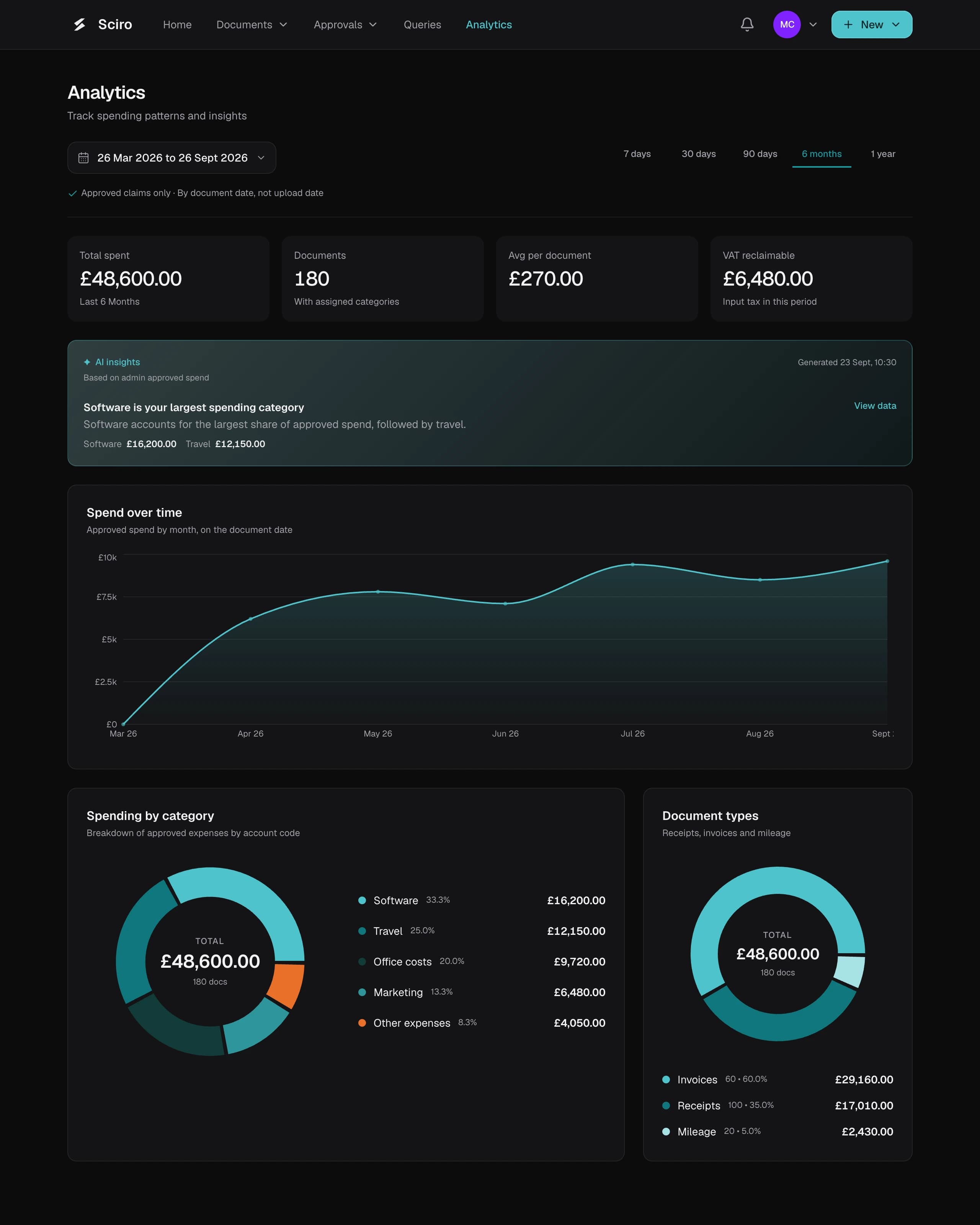
Expenses, invoices and card reconciliation.
Card reconciliation
Every charge matched to its receipt, so gaps stand out.
More about card reconciliationHow Sciro works
Capture
From a photo, a PDF or your inbox, Sciro reads every line.
Approve
The right people approve it, in the order you set.
Send to your books
A coded draft bill, with the original attached.
For everyone who touches a claim
Staff
Claims from their phone, in a few taps.
Approvers
One inbox, receipts beside the numbers.
Finance
Records read, coded and ready to send.
Sciro prepares the work. Your team makes the call.
Learns how you code
Suggests accounts from what your team approved before.
Reads the whole document
Supplier, dates, VAT and every line, beside the original.
Checks your spending rules
Flags a claim that breaks a rule before the approver decides.
Works with the tools you already use
Sciro sits alongside your books. Nothing to migrate.
Ask about your softwareEmail and HR connections are available on eligible plans.
Live in your first month
Book a demoDay 1
Connect your books
Accounts in, team invited, approvers set.
Week 1
Claims start flowing
Read for you and approved on any device.
Month 1
Less left to chase
Records in your books, originals attached.
Built to handle financial data
Security and dataNever used to train AI
Read through an API that does not train on your content.
Isolated and on record
Each organisation’s data is kept apart and every approval recorded.
UK GDPR
A Data Processing Agreement for every customer.
Common questions
What can Sciro automate today?
Sciro helps with expenses, invoice processing and card reconciliation. It reads documents, supports review and approval, and prepares records for your accounting software. We are building towards broader accounting automation, with people still in control of the decisions that need them.
Is there a free trial?
Yes. Every new workspace starts with a 30-day trial of the full product: every feature switched on, up to 10 people and 100 documents, with no card required. When the trial ends the workspace becomes read-only until you choose a plan.
Does Sciro learn how we categorise costs?
Yes. Sciro uses account choices from similar expenses and invoice lines your organisation has approved and sent to its books to suggest categories from your active chart of accounts. More history helps tailor suggestions to your business. Your team can review and correct them before approval.
Does Sciro replace my accounting software?
No. Sciro works alongside your books. Connect a supported accounting system to bring in your chart of accounts and send approved records back with the original documents attached. See Integrations on the product page for the connections that fit your setup.
Try Sciro with your team
Every feature, free for 30 days.
No card required · Up to 10 people